# Content #1

{% tabs %}
{% tab title="Preview" %}

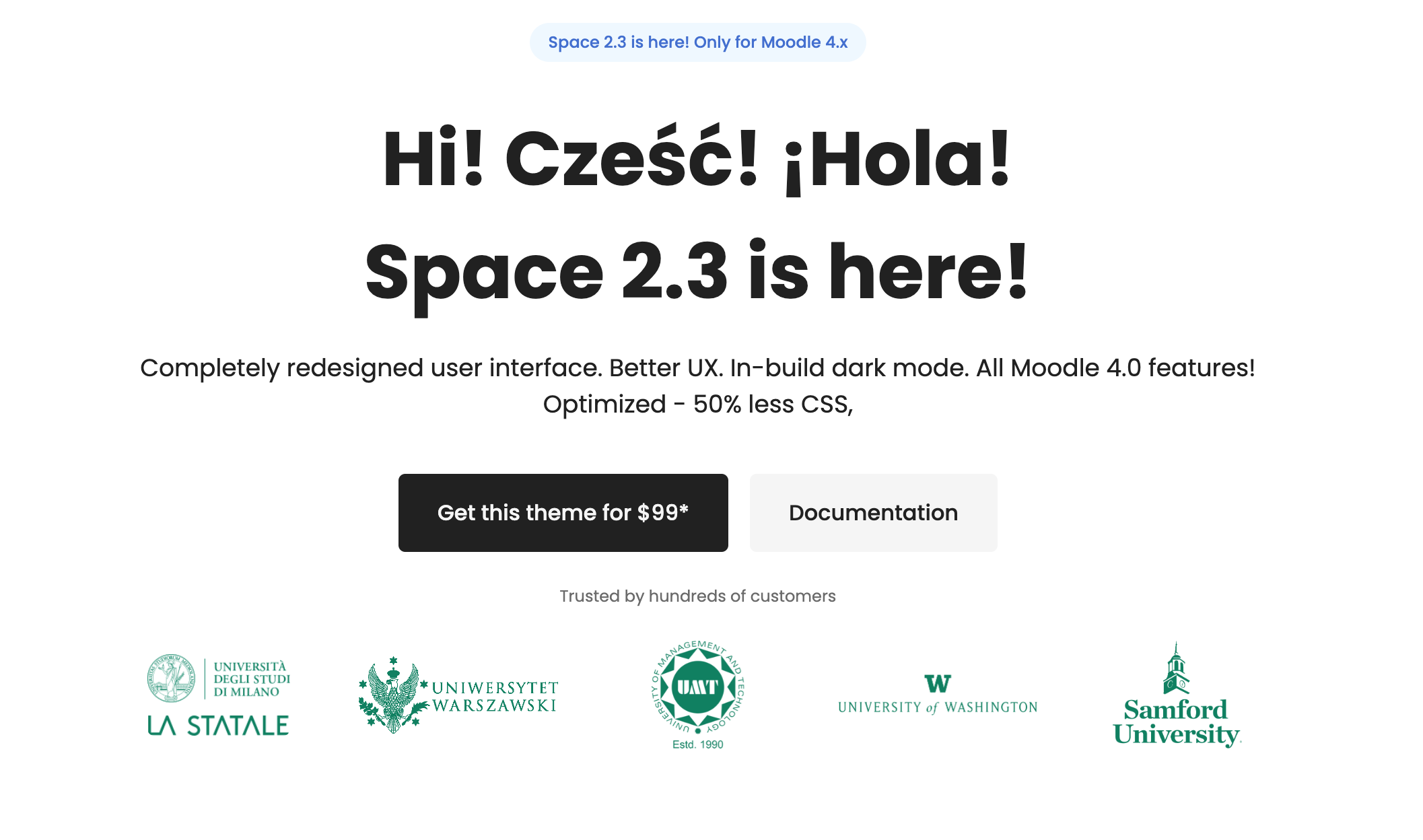
<figure><img src="https://content.gitbook.com/content/FXzbdpVhyxdIy0lIThMp/blobs/uKl9aTtKfbmn3CZMjim1/space-moodle-theme-hero.png" alt=""><figcaption></figcaption></figure>
{% endtab %}

{% tab title="HTML Code" %}
{% code lineNumbers="true" %}

```html
<div class="wrapper-md text-center">
    <!-- start .badge -->
    <div class="badge badge-info">Space 2.2 is here! Only for Moodle 4.0</div>
    <!-- end .badge -->

    <h2 class="display-2 mt-4">Hi! Cześć! ¡Hola!<br>Space 2.2 is here!</h2>
    <p class="rui-block-text--1 mt-3">Completely redesigned user interface. Better UX. In-build dark mode. All Moodle 4.0 features! Optimized - 50% less CSS,</p>
    <div class="d-flex mt-4 justify-content-center w-100"><a href="https://themeforest.net/item/space-moodle-template/22579922" class="m-2 btn btn-lg btn-dark" target="_blank">Get this theme for $99*</a><a href="https://rosea.gitbook.io/space-moodle-theme/" class="m-2 btn btn-lg btn-secondary" target="_blank">Documentation</a></div>

    <p class="rui-block-text--light rui-block-text--3 mt-3">Trusted by hundreds of customers</p>

    <div class="row justify-content-center align-items-center">
        <div class="col-auto col-sm py-3 text-center">
            <img src="https://roseathemes.com/space/1/pluginfile.php/1/theme_space/spacesettingsimgs/0/logomilano.png" alt="Logo" width="106" height="60" class="img-fluid atto_image_button_middle">
        </div>
        <!-- End Col -->

        <div class="col-auto col-sm py-3 text-center">
            <img src="https://roseathemes.com/space/1/pluginfile.php/1/theme_space/spacesettingsimgs/0/logo-uwaw.png" alt="Logo" width="206" height="80" class="img-fluid atto_image_button_middle">
        </div>
        <!-- End Col -->

        <div class="col-auto col-sm py-3 text-center">
            <img src="https://roseathemes.com/space/1/pluginfile.php/1/theme_space/spacesettingsimgs/0/umt-logo.png" alt="Logo" width="69" height="80" class="atto_image_button_middle">
        </div>
        <!-- End Col -->

        <div class="col-auto col-sm py-3 text-center">
            <img src="https://roseathemes.com/space/1/pluginfile.php/1/theme_space/spacesettingsimgs/0/uw-logo.png" alt="Logo" width="386" height="80" class="img-fluid atto_image_button_middle">
        </div>
        <!-- End Col -->

        <div class="col-auto col-sm py-3 text-center">
            <img src="https://roseathemes.com/space/1/pluginfile.php/1/theme_space/spacesettingsimgs/0/samford-logo.png" alt="Logo" width="96" height="80" class="img-fluid atto_image_button_middle">
        </div>
        <!-- End Col -->
    </div>
    <!-- End Row -->

</div>
```

{% endcode %}
{% endtab %}
{% endtabs %}

{% content-ref url="../how-to-add-more-item-to-blocks" %}
[how-to-add-more-item-to-blocks](https://rosea.gitbook.io/scholastica-moodle-theme/theme-settings/front-page-blocks/how-to-add-more-item-to-blocks)
{% endcontent-ref %}


---

# Agent Instructions: Querying This Documentation

If you need additional information that is not directly available in this page, you can query the documentation dynamically by asking a question.

Perform an HTTP GET request on the current page URL with the `ask` query parameter:

```
GET https://rosea.gitbook.io/scholastica-moodle-theme/theme-settings/front-page-blocks/content/content-1.md?ask=<question>
```

The question should be specific, self-contained, and written in natural language.
The response will contain a direct answer to the question and relevant excerpts and sources from the documentation.

Use this mechanism when the answer is not explicitly present in the current page, you need clarification or additional context, or you want to retrieve related documentation sections.