# Content #2

{% tabs %}
{% tab title="Preview" %}

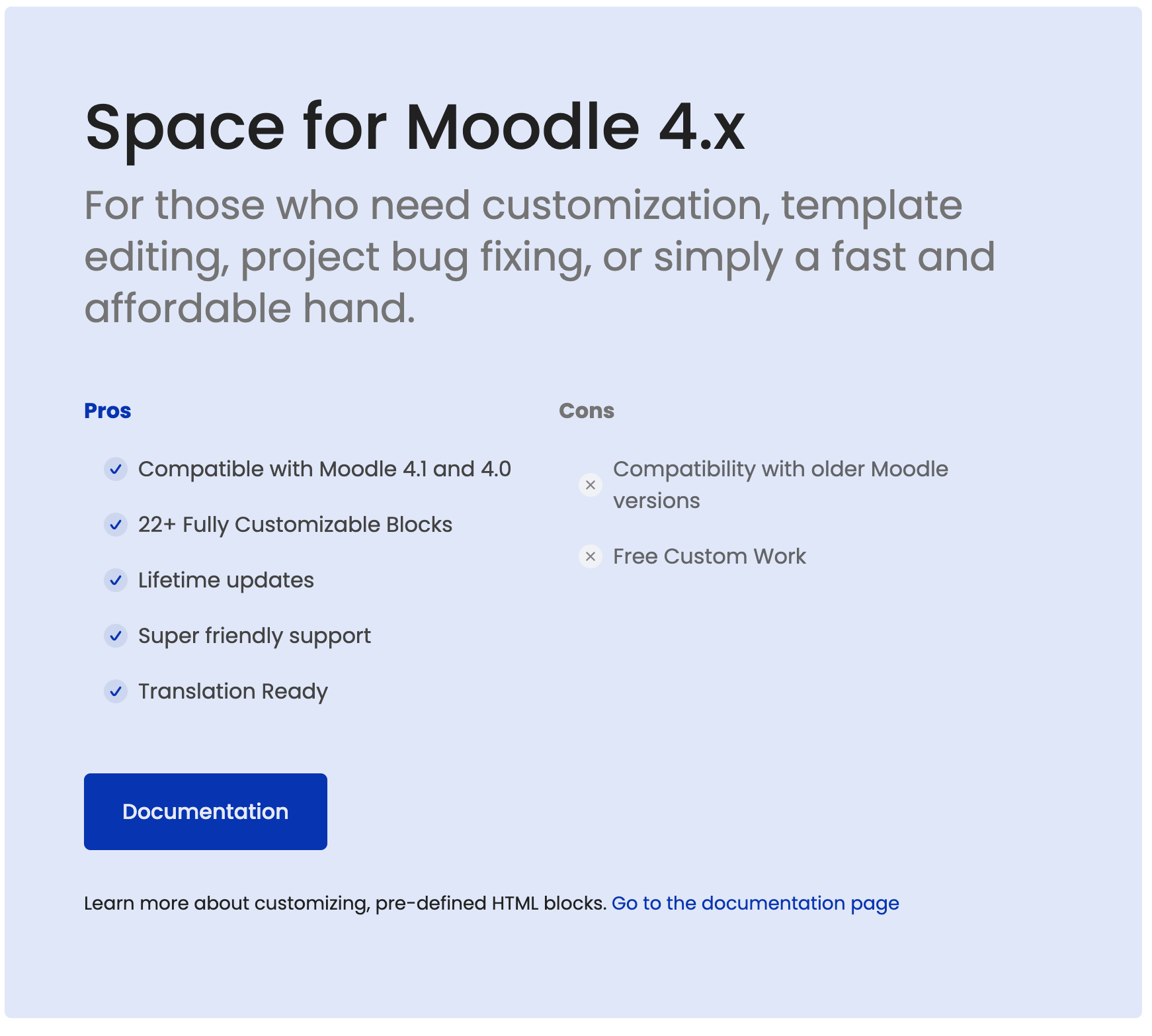
<figure><img src="https://2934894637-files.gitbook.io/~/files/v0/b/gitbook-x-prod.appspot.com/o/spaces%2FbCvyqQFWjULWnGrw3L3Z%2Fuploads%2FfpwJUVSg1x1N9yl79x7U%2Fcontent-2-moodle-theme.png?alt=media&#x26;token=4ecc8c92-5ab5-4629-a6ce-1c6e4f5c7ea4" alt=""><figcaption></figcaption></figure>
{% endtab %}

{% tab title="HTML Code" %}
{% code lineNumbers="true" %}

```html
<div class="wrapper-md">
    <!-- Start item -->
    <div class="rui-card--colorized rui-rounded--lg" style="background-color: #e0e6f9;">
        <div class="d-flex flex-wrap align-content-center">
            <div>
                <h3 class="lead-1">Space for Moodle 4.x</h3>
                <p class="text-size-xl text-secondary">For those who need customization, template editing, project bug fixing, or simply a fast and affordable hand.</p>
            </div>

            <div class="d-flex flex-wrap mt-4 row-cols-md-2">
                <div>
                    <h4 class="text-primary">Pros</h4>
                    <ul class="rui-special-list rui-special-list--primary list-styled col">
                        <li>Compatible with Moodle 4.1 and 4.0</li>
                        <li>22+ Fully Customizable Blocks</li>
                        <li>Lifetime updates</li>
                        <li>Super friendly support</li>
                        <li>Translation Ready</li>
                    </ul>
                </div>
                <div>
                    <h4 class="text-secondary">Cons</h4>
                    <ul class="rui-special-list rui-special-list--primary list-styled col">
                        <li class="list-icon-x">Compatibility with older Moodle versions</li>
                        <li class="list-icon-x">Free Custom Work</li>
                    </ul>
                </div>
            </div>
            <div class="my-4 w-100"><a href="https://rosea.gitbook.io/space-moodle-theme/" class="btn btn-lg btn-primary">Documentation</a>
            </div>
            <p class="text-size-sm">Learn more about customizing, pre-defined HTML blocks. <a href="https://rosea.gitbook.io/space-moodle-theme/theme-settings/front-page-blocks" target="_blank" class="underline--anim">Go to the documentation page</a></p>
        </div>
    </div>
    <!-- End item -->
</div>
```

{% endcode %}
{% endtab %}
{% endtabs %}

{% content-ref url="../how-to-add-more-item-to-blocks" %}
[how-to-add-more-item-to-blocks](https://rosea.gitbook.io/space-moodle-theme/theme-settings/front-page-blocks/how-to-add-more-item-to-blocks)
{% endcontent-ref %}


---

# Agent Instructions: Querying This Documentation

If you need additional information that is not directly available in this page, you can query the documentation dynamically by asking a question.

Perform an HTTP GET request on the current page URL with the `ask` query parameter:

```
GET https://rosea.gitbook.io/space-moodle-theme/theme-settings/front-page-blocks/content/content-2.md?ask=<question>
```

The question should be specific, self-contained, and written in natural language.
The response will contain a direct answer to the question and relevant excerpts and sources from the documentation.

Use this mechanism when the answer is not explicitly present in the current page, you need clarification or additional context, or you want to retrieve related documentation sections.