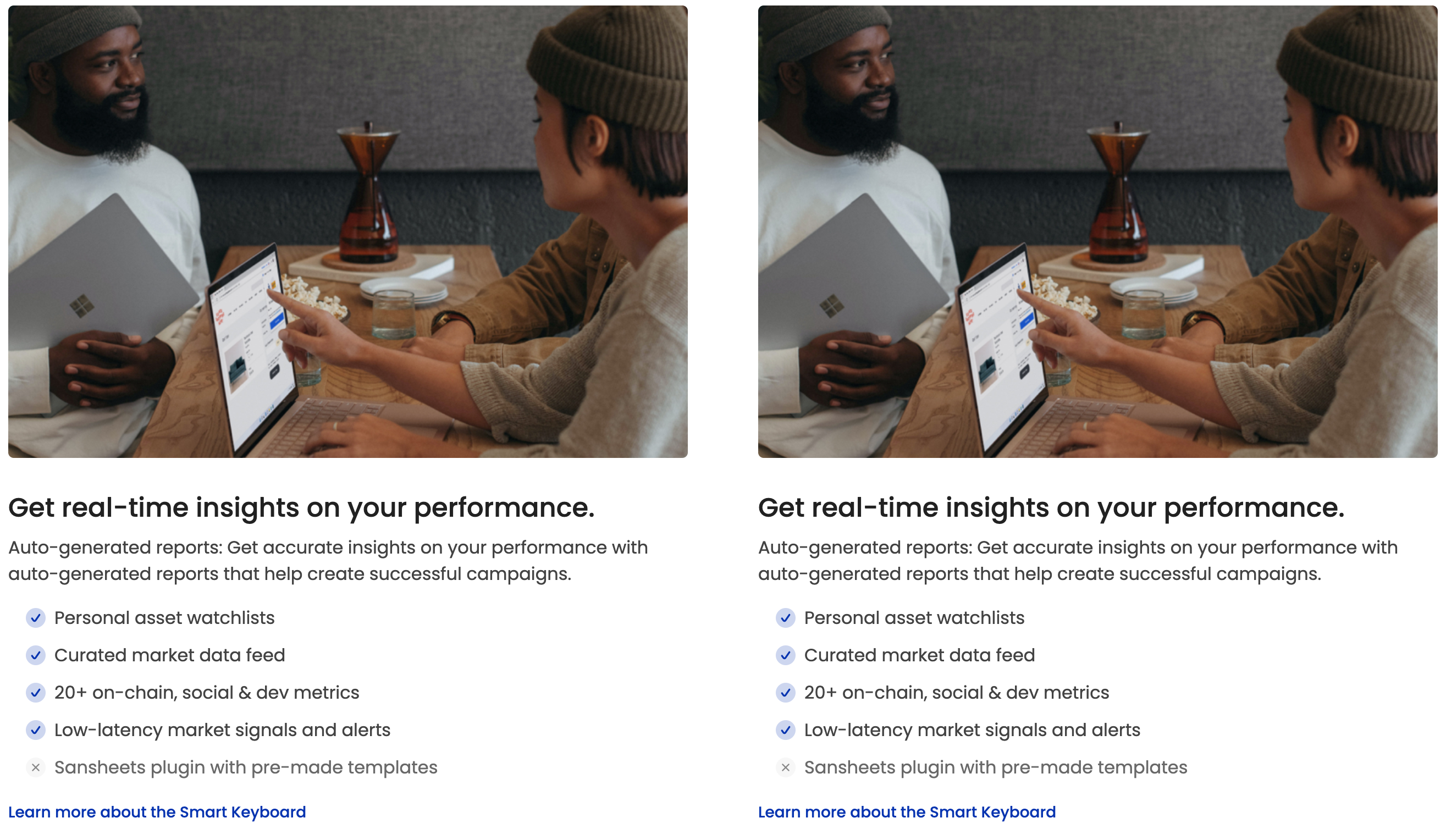

# Grid Content #9

{% tabs %}
{% tab title="Preview" %}

<figure><img src="https://content.gitbook.com/content/FXzbdpVhyxdIy0lIThMp/blobs/WhUmLhixCjQtDYn6r91H/grid-content-9-moodle-theme.png" alt=""><figcaption></figcaption></figure>
{% endtab %}

{% tab title="HTML Code" %}
{% code overflow="wrap" lineNumbers="true" %}

```html
<!-- Start - Block - Grid Content #9 -->
<div class="row row-cols-1 row-cols-lg-2 mt-5">

    <!-- Col #1 -->
    <div class="px-5">
        <div class="mb-4 rui-img--rounded-fluid">
            <img src="https://assets.rosea.io/themes/img.jpg" alt="pic" width="800" height="533" class="img-fluid w-100">
        </div>
        <div class="rui-card--blank">
            <h4 class="lead-4 mt-3">Get real-time insights on your performance.</h4>
            <p class="rui-card-text">Auto-generated reports: Get accurate insights on your performance with auto-generated reports that help create successful campaigns.</p>
            <ul class="rui-special-list rui-special-list--primary">
                <li>Personal asset watchlists</li>
                <li>Curated market data feed</li>
                <li>20+ on-chain, social &amp; dev metrics</li>
                <li>Low-latency market signals and alerts</li>
                <li class="list-icon-x">Sansheets plugin with pre-made templates</li>
            </ul>
            <a href="https://rosea.io" class="rui-card-btn-link mt-2">Learn more about the Smart Keyboard</a>
        </div>
    </div>
    <!-- End Col #1 -->

    <!-- Col #2 -->
    <div class="p-3">
        <div class="mb-4 rui-img--rounded-fluid">
            <img src="https://assets.rosea.io/themes/img.jpg" alt="pic" width="800" height="533" class="img-fluid w-100">
        </div>
        <div class="rui-card--blank">
            <h4 class="lead-4 mt-3">Get real-time insights on your performance.</h4>
            <p class="rui-card-text">Auto-generated reports: Get accurate insights on your performance with auto-generated reports that help create successful campaigns.</p>
            <ul class="rui-special-list rui-special-list--primary">
                <li>Personal asset watchlists</li>
                <li>Curated market data feed</li>
                <li>20+ on-chain, social &amp; dev metrics</li>
                <li>Low-latency market signals and alerts</li>
                <li class="list-icon-x">Sansheets plugin with pre-made templates</li>
            </ul>
            <a href="https://rosea.io" class="rui-card-btn-link mt-2">Learn more about the Smart Keyboard</a>
        </div>
    </div>
    <!-- End Col #2 -->

</div>
<!-- End item -->
<!-- End - Block - Grid Content #9 -->
```

{% endcode %}
{% endtab %}
{% endtabs %}

{% content-ref url="../how-to-add-more-item-to-blocks" %}
[how-to-add-more-item-to-blocks](https://rosea.gitbook.io/scholastica-moodle-theme/theme-settings/front-page-blocks/how-to-add-more-item-to-blocks)
{% endcontent-ref %}


---

# Agent Instructions: Querying This Documentation

If you need additional information that is not directly available in this page, you can query the documentation dynamically by asking a question.

Perform an HTTP GET request on the current page URL with the `ask` query parameter:

```
GET https://rosea.gitbook.io/scholastica-moodle-theme/theme-settings/front-page-blocks/grid-content/grid-content-9.md?ask=<question>
```

The question should be specific, self-contained, and written in natural language.
The response will contain a direct answer to the question and relevant excerpts and sources from the documentation.

Use this mechanism when the answer is not explicitly present in the current page, you need clarification or additional context, or you want to retrieve related documentation sections.
